“You have very good system knowledge and you understand how the business operates. It helped me a lot. I was always satisfied with your design and product decisions. You're the one person I can rely on, and you've never disappointed me.”
Who uses it, and what it had to fit
Three kinds of user, one existing website and about three months.
Who it's for
- Operators
- Run their business from the admin panel: bookings, locations, pricing and schedules across several sites.
- Their customers
- Book a slot on the operator's own website or app, and manage bookings, memberships, packs and gift cards in the customer portal.
- Operator staff
- Manage the day: bookings and customers.
What it had to fit
- Time
- About three months, June to August 2025.
- Switch-over
- Bookings couldn't stop while Rooftop Saunas moved across from its old system.
- Existing site
- Booking forms and calendars had to sit on Rooftop Saunas' existing WordPress site.
- Pricing
- Every slot priced separately, and every location on its own schedule.
- More operators
- Built for Rooftop Saunas first and for other operators after, each with its own brand.
Nine steps down to four
Drag the divider, or use the arrow keys.
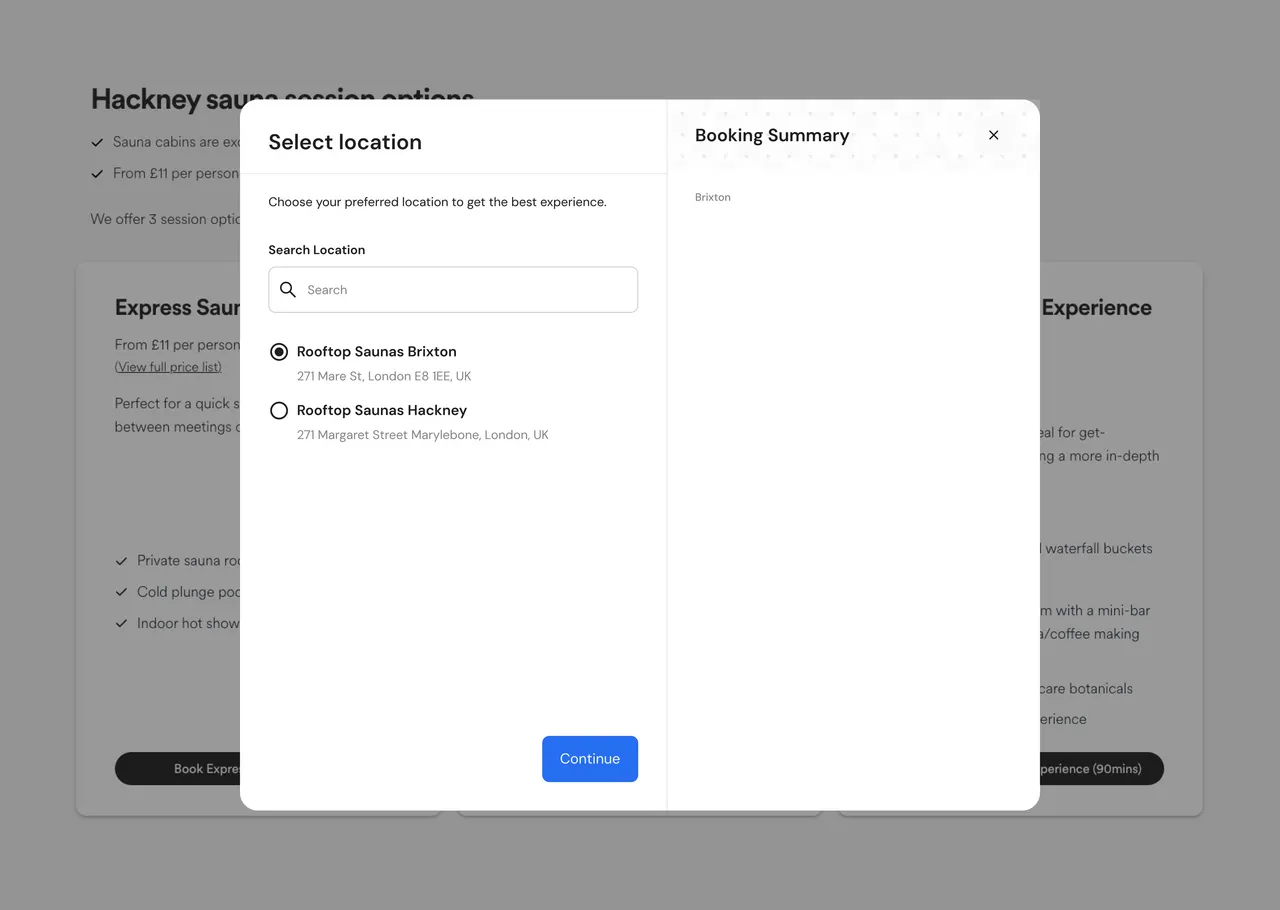
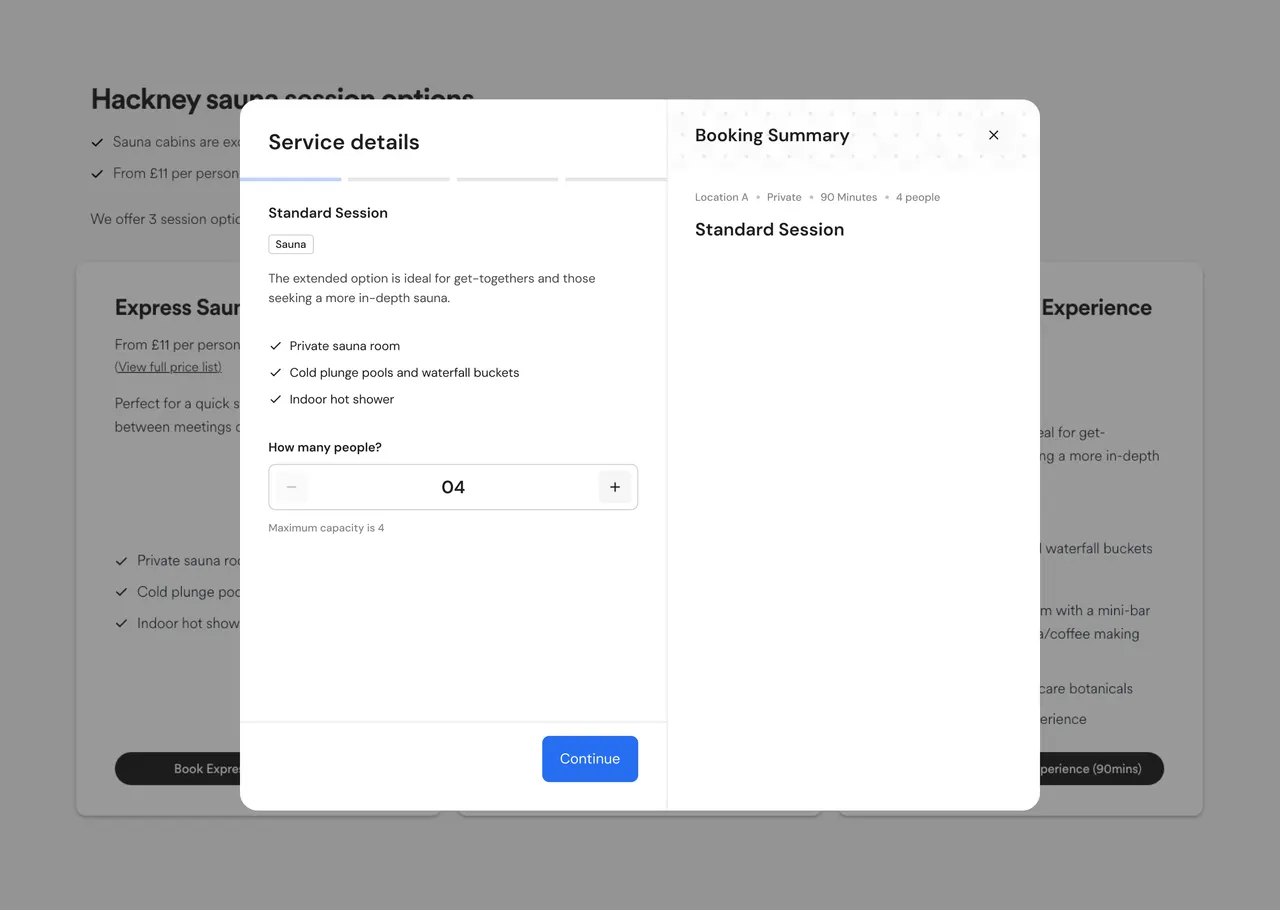
How the operator app is organised
Booking, memberships and each operator's brand
The problem behind each one, the decision, why I made it, and what it cost.
Booking in four steps
- Problem
- The old system took 9 steps to make a booking and asked for too much information along the way.
- Decision
- I proposed a 4-step booking flow and got the client's sign-off on the design.
- Why
- Every extra screen was another place to drop out. I removed the separate form, guide and room screens and grouped related actions, so each step holds two or three of them instead of one per screen.
- Trade-off
- It moved away from the standard step-by-step booking pattern wellness businesses were used to, so operators had to adjust to a new way of working.
Memberships, packs and gift cards inside the booking journey
- Problem
- The platform needed recurring revenue as well as one-off guest bookings.
- Decision
- Memberships, packs and gift cards came before guest booking, and the offer moved out of post-checkout and into the booking journey itself.
- Why
- Recurring revenue, and knowing who the customer is on every booking.
- Trade-off
- Fewer first-time visitors finished a booking.
- What I did about it
- I added Microsoft Clarity and Mixpanel from the start of the project. Mixpanel tracked bookings, membership, pack and gift card purchases, and user behaviour; Clarity's heatmaps and session recordings showed where customers dropped out. The biggest drop was in the booking flow, so we fixed that first.
One shared design, each operator's brand
- Problem
- The software had to run Rooftop Saunas from day one and still be sellable to other businesses.
- Decision
- I decided which features every operator shares and which each operator sets up. The customer portal and mobile app carry each operator's own brand; the Rooftop Saunas app is one operator's version.
- Why
- Features built for a single operator would break the platform for everyone else.
- Trade-off
- Some features moved to later releases, moving Rooftop Saunas onto the shared design was harder, and I said no to custom requests from single operators.
Four steps to a booking
- 1Service
- 2Schedule
- 3Extras
- 4Review
01 · Service: choose the session and number of people 02 · Schedule: pick a date and time; peak times marked; join a waitlist if nothing fits 03 · Extras: optional add-ons with a running total 04 · Review: sign in or create an account, coupon, pay
Beyond booking
Booking is the core of the app, but customers also use it before and after they book. These screens cover finding a session, managing what's booked, and buying for someone else.
Before booking
After booking
The admin panel
Operators and their staff run the business from the admin panel. It has three areas: Operations for the day-to-day, Analysis for owners, and Configuration for setting the business up.
Operations
Analysis
Configuration
What the screens are built from
The parts every operator shares, and the brand each operator brings.
- Web
- The admin panel and customer portal are built on Ant Design 5, with a design-variables library.
- Mobile app
- DM Sans, primary blue #276EF1, black and a grey scale.
- Mobile components
- Component libraries for Foundation, Core components, Forms, Overlays, Indicators, Messaging and Navigation.
- Per operator
- Each operator gets its own logo, name and theme by changing variable values; the screens stay the same.
Empty and error states
From first wireframes to after launch
- Research finding
- The old system was only a booking tool. It had none of the features a wellness business runs on, such as memberships, packs, gift cards, add-ons and waitlists, and it wasn't designed around how customers actually book. The new platform was built around both.
- Before design
- Every booking scenario was mapped first, with wireframes in Miro and Figma.
- From the start
- Mixpanel tracked bookings, memberships, packs, gift cards and user behaviour, on the old system first and on the new platform from launch. Microsoft Clarity heatmaps and session recordings showed where customers dropped out. The booking flow came first.
- During the build
- Weekly check-ins with the client, and research before every sprint.
- Before switch-over
- Every booking path was tested and all data moved from the old system, so bookings kept flowing.
- After launch
- I improved the booking journey end to end using where customers dropped out, behaviour data from Microsoft Clarity, Mixpanel and GA4, session feedback and common support questions.
- New operators
- I defined the digital onboarding journey for new operators.
Live since August 2025
Booking completion, relative to before
Booking steps, old system and new flow
For a new operator to go live
UK operators live
Booking completion compared with the old system, after the new design went live. Shown as a relative change; the underlying data is confidential.
What shipped
- Admin panel: bookings, locations, pricing and schedules across several sites.
- Customer portal: bookings, memberships, packs and gift cards.
- The operator-branded mobile app, starting with Rooftop Saunas.
- Booking forms and calendars on Rooftop Saunas' existing WordPress site.
- Reports for operators, such as revenue over time.
Test with real operators sooner
Put the operator side in front of real operators earlier. Testing operator setup and onboarding with real operators sooner would have shown us sooner which features every operator should share and which each should set up.