A booking flow has one job: get someone from "I want to book" to "booked" before they give up. Every screen, field and choice in between is a chance to lose them.
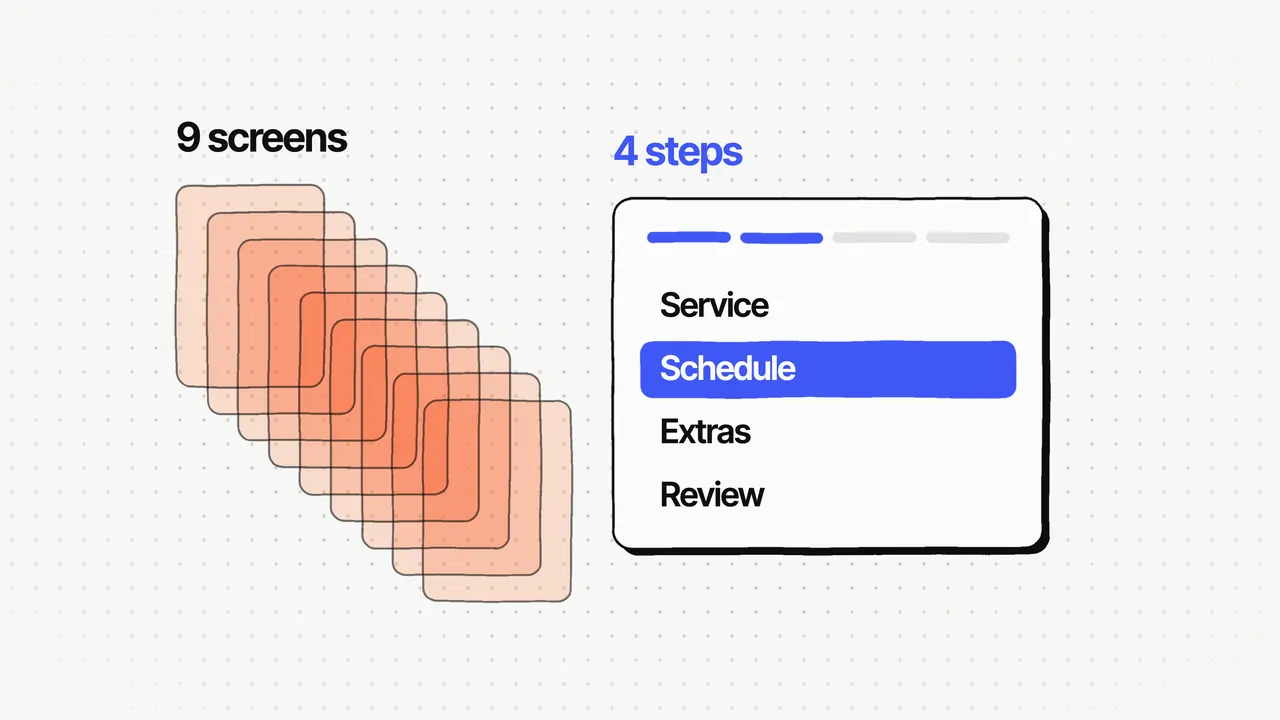
These eight patterns come from designing the booking flow for Find Your Calm, a booking platform for wellness operators that started with Rooftop Saunas in London. The old system took 9 steps; the new flow takes 4, and after the new design replaced the old system, booking completion rose 31%. If you want the full story of that redesign, it's in How we cut a booking flow from 9 steps to 4. This post is the guide: the patterns, why each works, and what each one costs.
What makes a booking flow hard to finish?
Too many screens, too much information asked for, and no sense of how much is left. The old Find Your Calm booking took 9 steps and asked for too much along the way. It had a separate location step, and no progress shown at any point.
It also wasn't built around how a wellness business sells. Research showed the old system was only a booking tool: it had none of the features a wellness business runs on, such as memberships, packs, gift cards, add-ons and waitlists.
Which patterns help people finish booking?
Here are the eight, in the order a customer meets them.
1. Four steps at most, with related actions grouped
The new flow has four steps: Service, Schedule, Extras and Review. I removed the separate form, guide and room screens and grouped related actions, so each step holds two or three of them instead of one per screen. Every extra screen is another place to drop out.
2. Progress on every step
A four-part progress bar sits at the top of the booking. People can see how far they are and how much is left, which the old modal never showed.
3. A summary that fills in as you go
A live booking summary sits beside the steps, so people always see what they've chosen so far. On the Extras step, a running total shows what the booking costs so far, so there's no surprise at payment.
4. The number of people on the first step
Service is where people choose the session and how many people are coming, on the same screen. Group size can change the price (operators set their own pricing rules, such as charging per extra person), so it belongs at the start.
5. Peak times marked
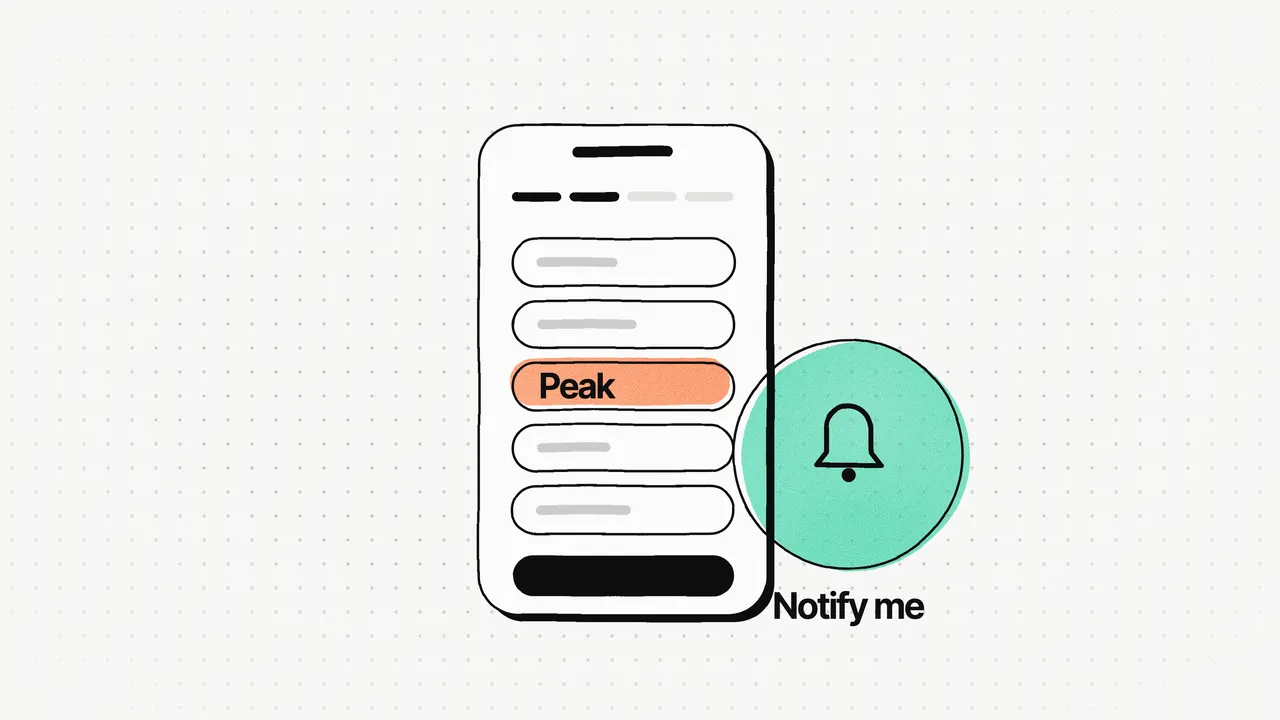
On the Schedule step, peak times are marked on the times people pick from. Operators see the same thing from the other side: their bookings report shows occupancy by day and by hour.
6. "Tell me when a slot opens"
When nothing fits, the Schedule step offers to notify the customer if availability opens up. In the app, customers set an availability alert for a date and time window, and can cancel it from the same screen.
7. Account and coupon at the review step
Review is the last step: sign in or create an account, add a coupon, and pay. People make their choices before being asked for an account, and the account is requested at the point it's needed.
8. Memberships, packs and gift cards inside the flow
Customers can pay with membership credits inside the booking itself, and pay only for add-ons the membership doesn't cover. Gift cards bought in the app are applied automatically to the next booking.
What does each pattern fix, and what does it cost?
No pattern is free. This is the trade-off I'd weigh for each one.
| Pattern | What it fixes | Trade-off |
|---|---|---|
| Four steps, grouped actions | Too many screens to drop out on | Moved away from the step-by-step pattern operators were used to, so they had to adjust |
| Progress on every step | Not knowing how much is left | Space at the top of every step |
| A live summary and running total | Surprises at payment | A busier screen, especially on phones |
| Number of people first | Choosing a time, then finding it doesn't fit the group | One more choice before anything else |
| Peak times marked | Picking a busy time without knowing | Peak times have to be worked out and kept current |
| Alert when a slot opens | A full slot ending the visit | Alerts to manage, and to cancel |
| Account and coupon at review | Asking for an account before people have chosen | Less known about the customer until the end |
| Memberships, packs and gift cards inside the flow | Recurring revenue sold only after checkout | Fewer first-time visitors finished a booking |
The first and last rows are trade-offs we saw on the real project. The others are my own judgement of what each pattern asks for.
What does it cost to sell memberships inside the booking?
This is the one I'd think hardest about, because its cost was real. We built memberships, packs and gift cards before guest booking, and moved the offer out of post-checkout and into the booking journey itself.
The reason was recurring revenue, and knowing who the customer is on every booking. The cost: fewer first-time visitors finished a booking. We accepted that in exchange for subscription revenue and identity capture on every transaction.
My view: if your product earns from one-off bookings only, the trade-off may not be worth it. If recurring revenue is the business, it usually is. The pricing side of that decision is in Why we priced Find Your Calm by the revenue operators manage.
How do you know which pattern to fix first?
Measure before you redesign. On Find Your Calm, I added Microsoft Clarity and Mixpanel from the start of the project, on the old system first and on the new platform from launch. Mixpanel tracked bookings, memberships, packs, gift cards and user behaviour. Clarity's heatmaps and session recordings showed where customers dropped out. The biggest drop was in the booking flow, so we fixed that first.
After launch I kept improving the booking journey end to end, using where customers dropped out, behaviour data from Microsoft Clarity, Mixpanel and GA4, session feedback and common support questions. A booking flow is never finished, but the data tells you which pattern to work on next.
Find Your Calm is live with 17 UK operators today. If you're moving customers from an old booking system to a new one, the switch-over itself needs its own plan; that's in How to move customers to a new SaaS platform without downtime.
Frequently asked questions
How many steps should a booking flow have?
As few as the booking needs. Find Your Calm's flow went from 9 steps to 4 (Service, Schedule, Extras, Review) by grouping two or three related actions on each step, and booking completion rose 31% against the old system after the new design replaced it.
Should customers create an account before they book?
In Find Your Calm, signing in or creating an account happens at the Review step, the last one, together with the coupon and payment. People choose what they want first, and the account is asked for when it's needed to finish.
What should happen when a time slot is full?
Give people a way to be told when it opens. In Find Your Calm, customers set an availability alert for a date and time window, and can cancel it from the same screen.
How do you find out where people drop out of a booking flow?
Measure it. On Find Your Calm, Microsoft Clarity heatmaps and session recordings showed where customers dropped out, and Mixpanel tracked bookings, memberships, packs and gift cards. The biggest drop was in the booking flow, so that's what we fixed first.