Work · Product Design

Design case studyCustomer support and live chatWeb appCustomer support

A live chat that connects a website's visitors with support agents.

SmartDesk is SmartOffice's customer support and live-chat platform, built at BYSL. Visitors start a chat from a widget on a company's website; agents answer from one inbox, supervisors watch live chats, and admins set up the widget, timeouts and reports. I designed all of it.

Client
SmartOffice · BYSL Global Technology Group (Bangladesh)
My role on this product
Lead Product Designer
Team
Design by me
Platform
Web app · website chat widget
Timeline
At BYSL, 2021–2025
Status
Part of the SmartOffice suite
3roles in one product: agent, supervisor, admin
1inbox for every Messenger chat
Problem

A company's website visitors need a quick way to reach support, and the support team needs one place to answer, supervise and measure those chats.

What I designed

The visitor chat widget (launcher, pre-chat form, conversation), the agent inbox, Supervise Chat, Reports and the widget and chat settings.

Result

One product for the visitor, the agent, the supervisor and the admin, part of the SmartOffice suite.

Chapters

01

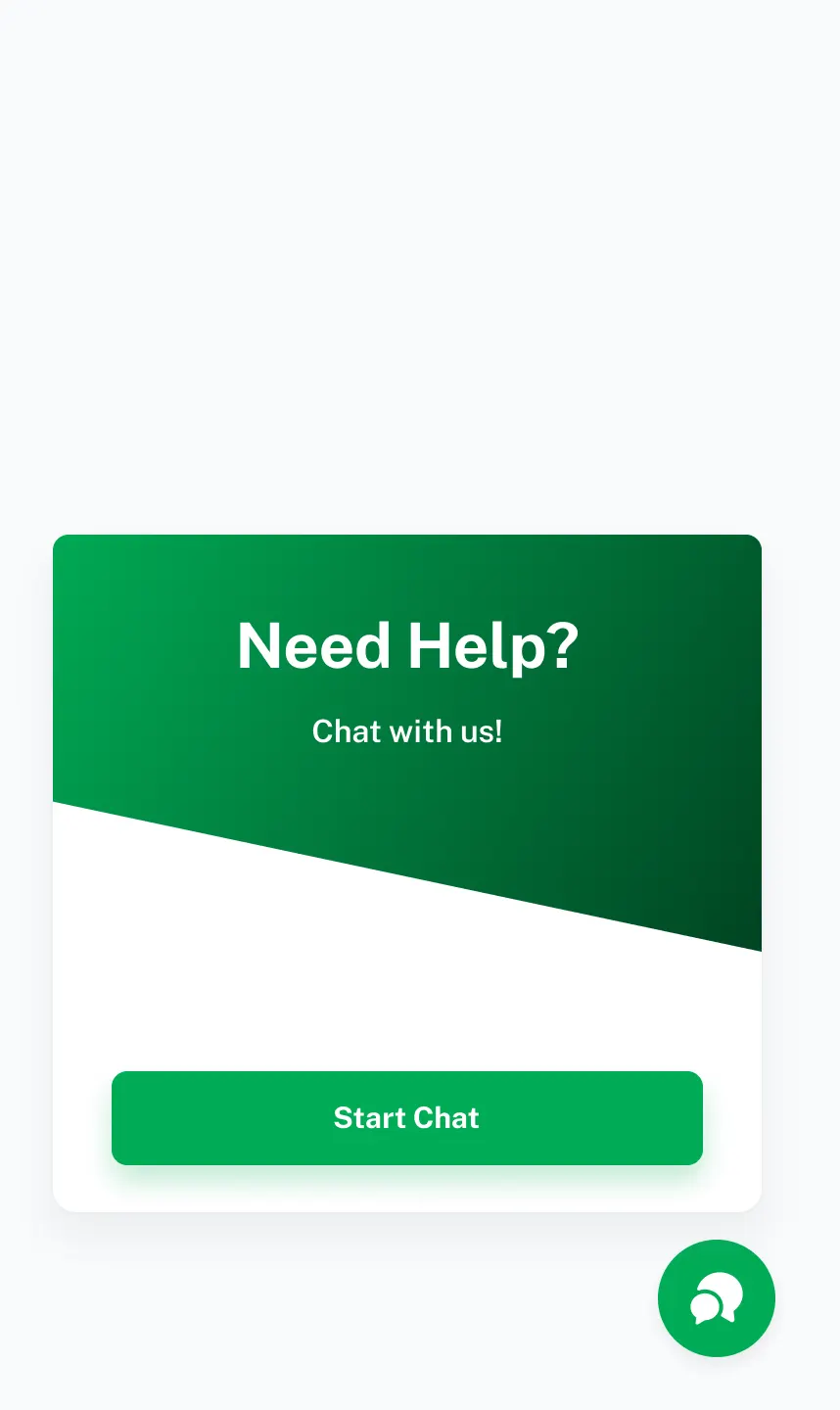
The chat widget on a website

Decision 01
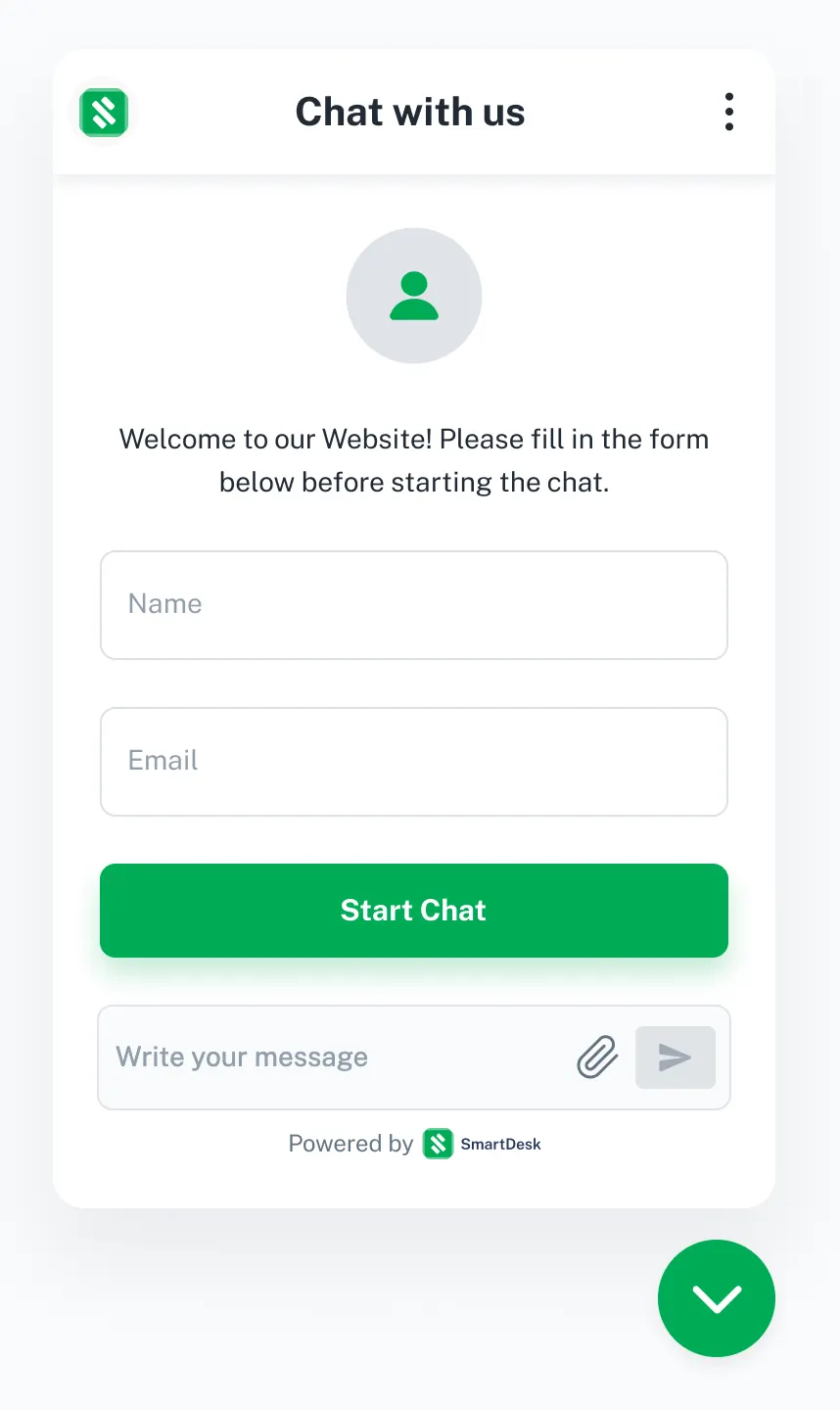
The launcher, then the two-field form in the same panel.
Problem
Visitors leave if getting help feels like work.
Decision
A small “Need Help? Chat with us!” launcher, a two-field pre-chat form (name, email), then the conversation in the same panel.

02

The agent inbox

Decision 02
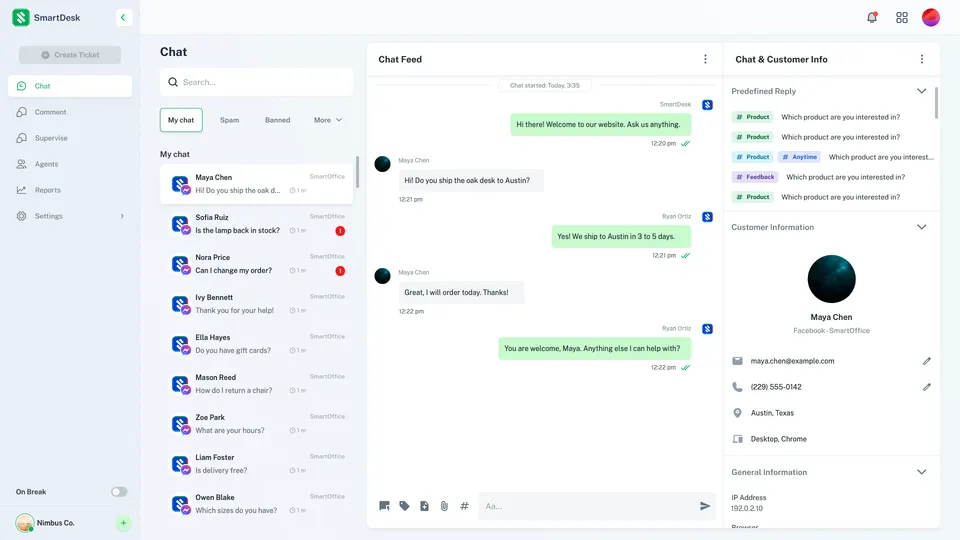
The agent inbox. Sample names and messages.
Problem
Agents switch between many chats and need context fast.
Decision
The chat list, the conversation and the customer's details side by side in one view.

03

Supervise Chat

Decision 03
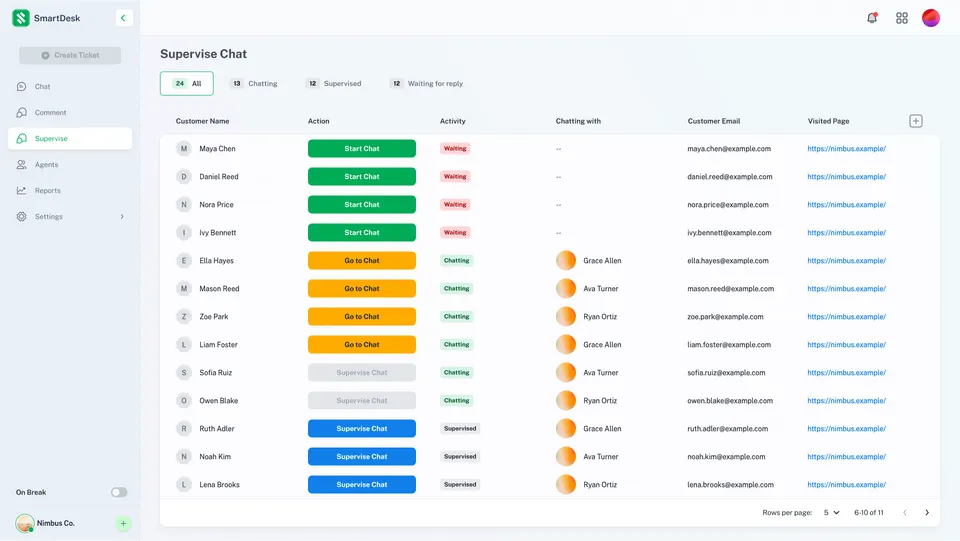
Supervise Chat: every live chat, its status and who is answering. Sample names.
Problem
Supervisors need to see which chats need help right now.
Decision
Live chats grouped by status (All, Chatting, Supervised, Waiting for reply), and a supervisor can join any chat.

04

Reports

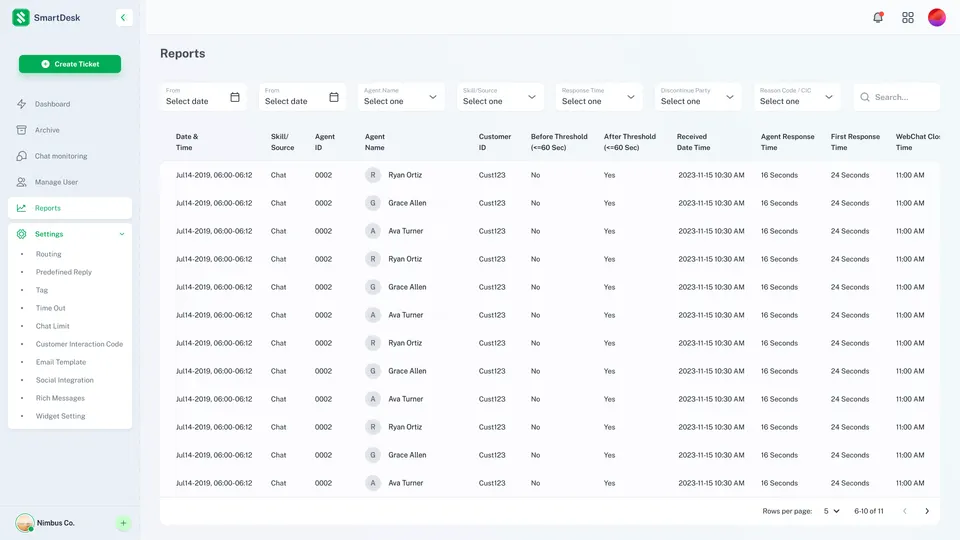
Chats by agent, duration, response time and rating, with filters.

Reports, with filters above the table. Sample data.

05

Widget and chat settings

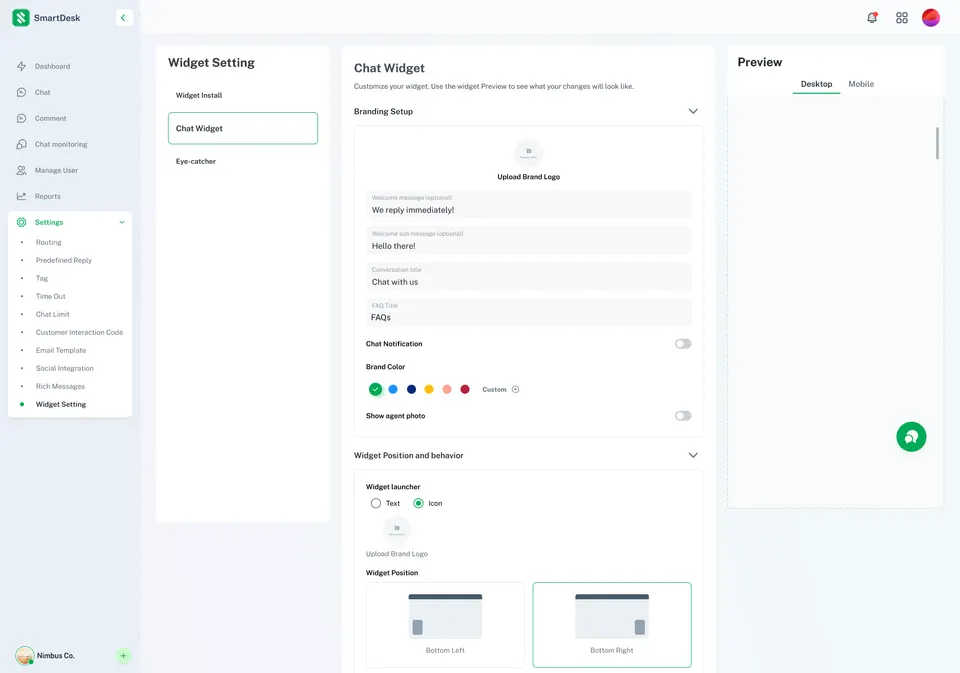
Branding (logo, colours, launcher position, with desktop and mobile preview) and chat timeouts, so each company makes the widget its own.

Widget settings with the preview on the right.

Results

One product for the visitor, agent, supervisor and admin, built into the SmartOffice suite.
Next design case study

SmartProduction

Read the case study
Building an AI product?QuestionsBook an intro call