Design case studyBill of materials for clothing and shoe productionWeb appManufacturing
A bill of materials system for clothing and shoe production.
SmartProduction is SmartOffice's production system, built at BYSL. It keeps the bill of materials for each product: the raw materials, quantities and costs, with approval steps before a BOM is final. It sits next to the development sample, PP sample and consumption note modules. I designed it.
Client
SmartOffice · BYSL Global Technology Group (Bangladesh)
My role on this product
Lead Product Designer
Team
Design by me
Platform
Web app
Timeline
At BYSL, 2021–2025
Status
Part of the SmartOffice suite
4steps to create a BOM: product, raw materials, costs, submit
4connected modules: BOM, development sample, PP sample, consumption note
Problem
A BOM for a garment or a shoe has many parts, and every part needs the right quantity and cost before production starts.
What I designed
The BOM list, the Create BOM flow (product, raw materials, cost breakdown, final calculations), BOM details with approval steps, and the sample and consumption note lists around it.
Result
One flow from product to approved BOM, part of the SmartOffice suite.
Chapters
01
The BOM list
Decision 01
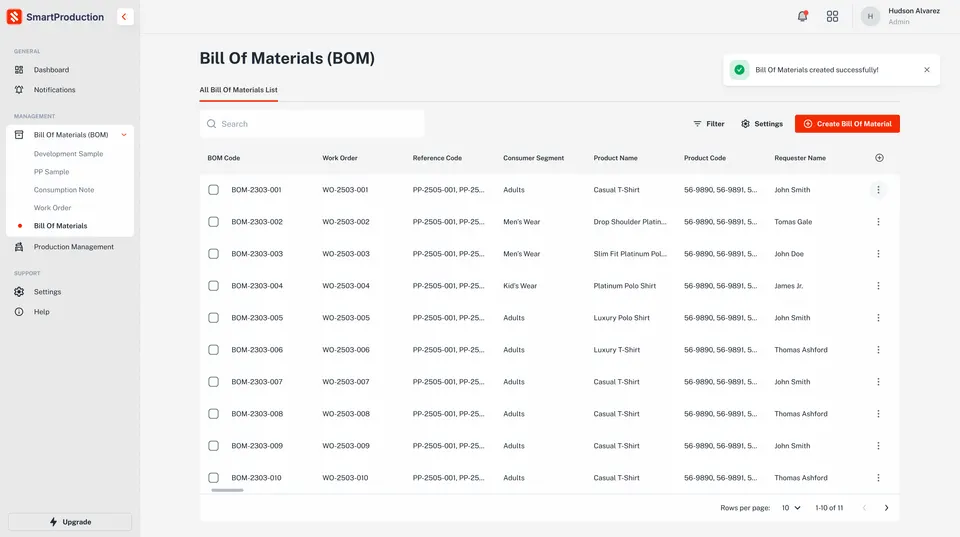
One list for every BOM
The bill of materials list. Sample data.
Problem
Merchandisers track many BOMs at different stages.
Decision
One list with codes, product and consumer, with filters.
02
Creating a BOM
Decision 02
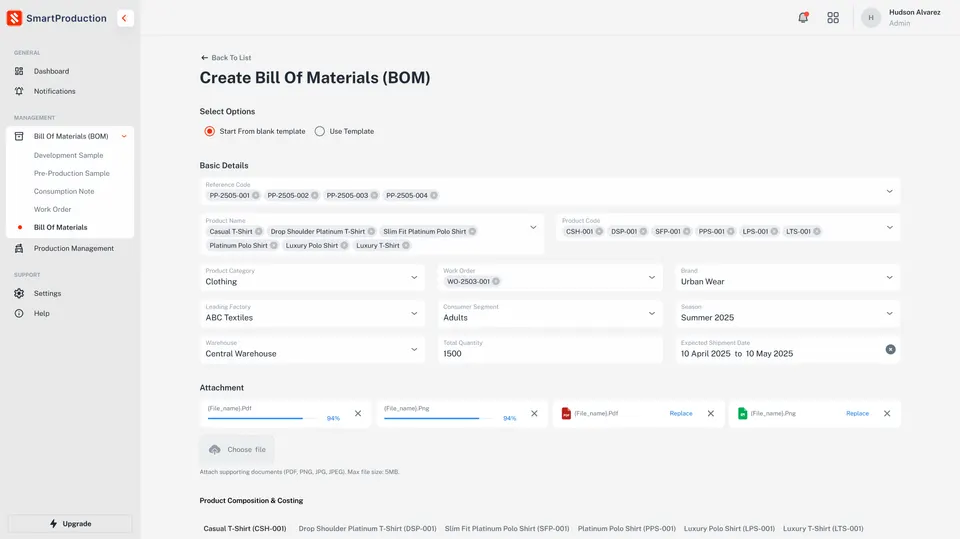
One page in clear steps
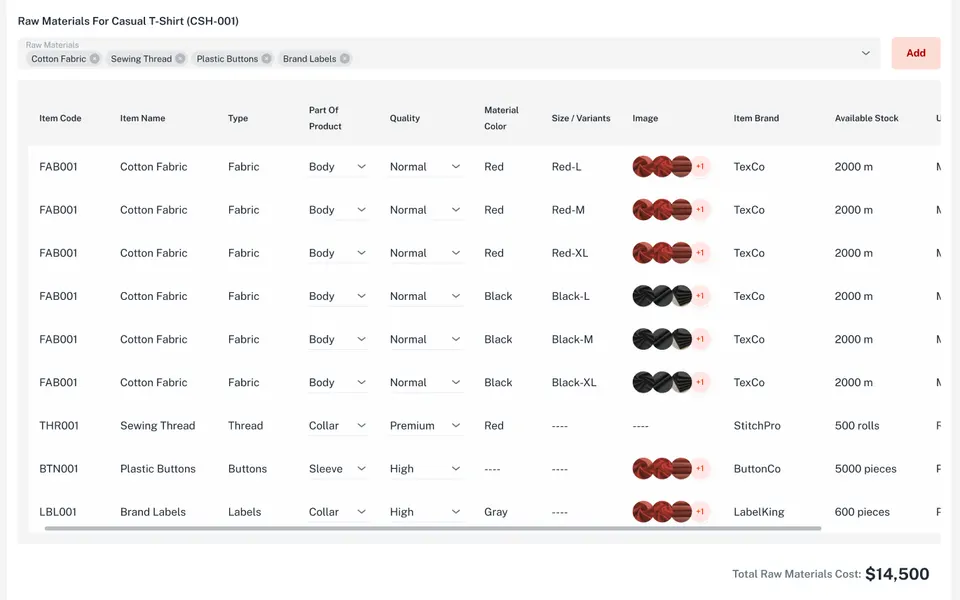
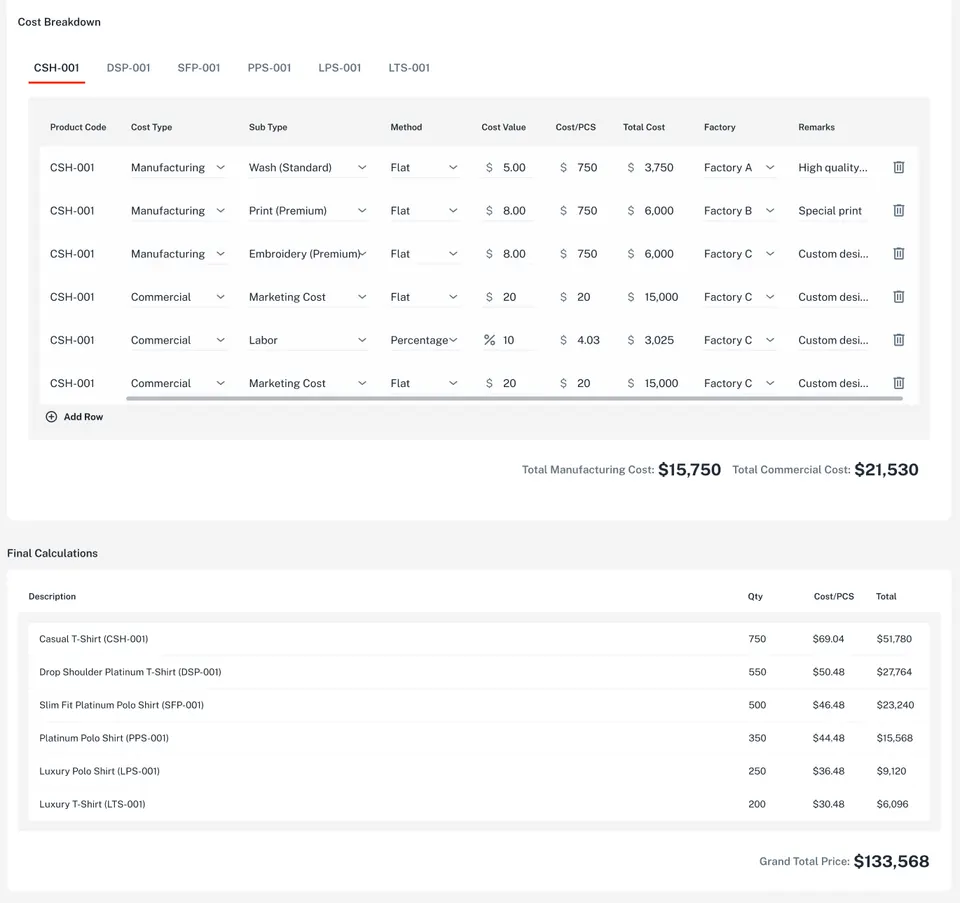
Create BOM: product details firstRaw materials added row by row. Sample data.The cost breakdown, then the final calculations. Sample data.
Problem
A BOM mixes product details, many raw materials and costs, which is easy to get wrong.
Decision
One page in clear steps: product details, then raw materials added row by row, then the cost breakdown and final calculations, then Submit.
03
Details and approvals
Decision 03
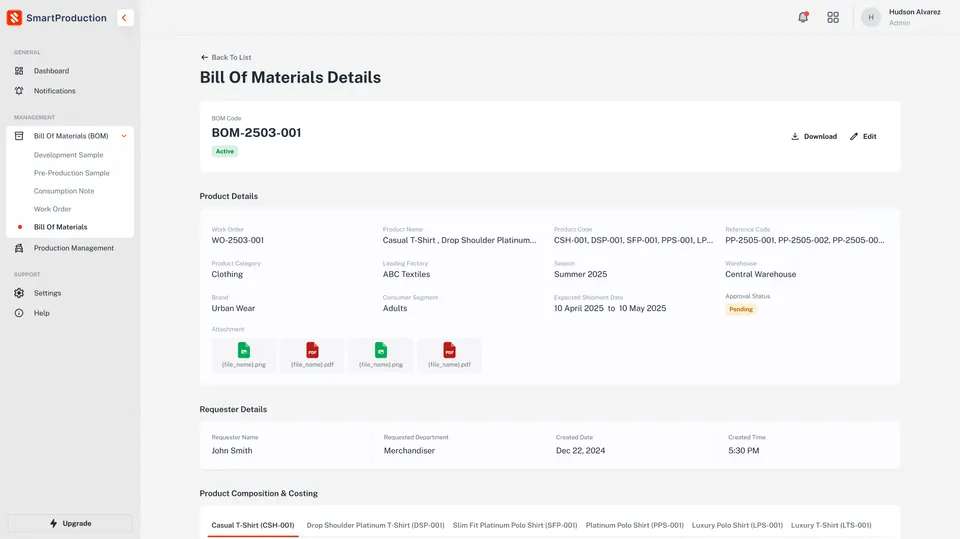
Approval steps on the details page
BOM details: product and requester. Sample data.The approval steps on the same page. Sample data.
Problem
Production should not start on an unapproved BOM.
Decision
The details page shows product composition and costing, then the approval steps, so everyone sees where the BOM stands.
04
The modules around it
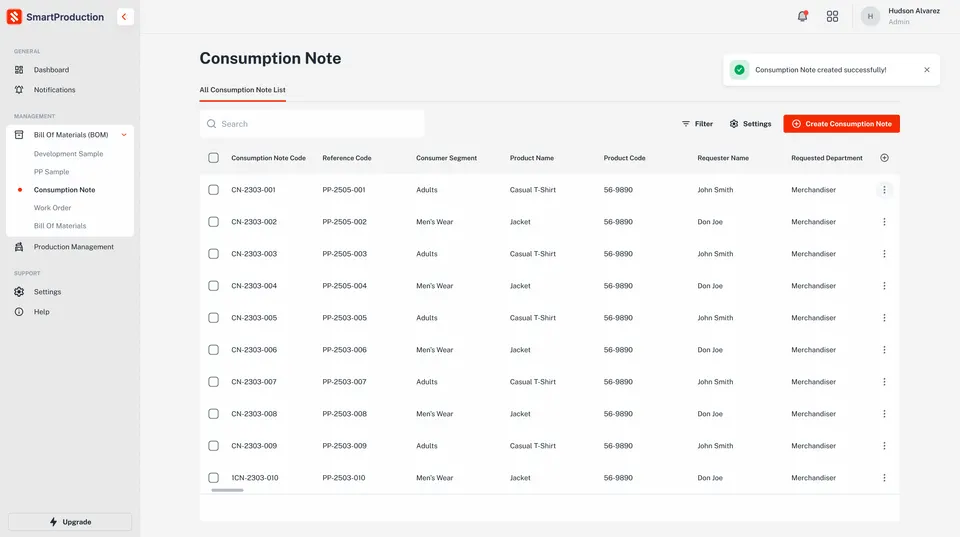
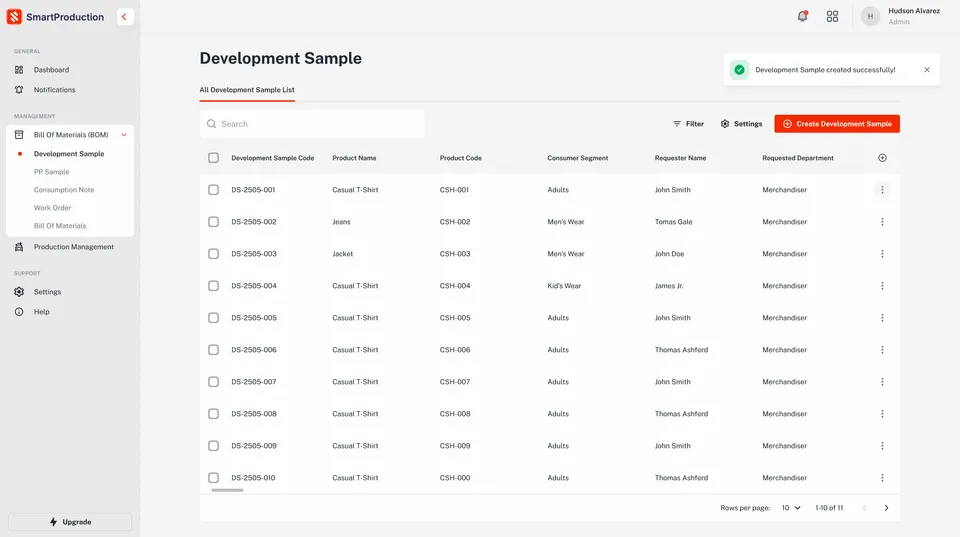
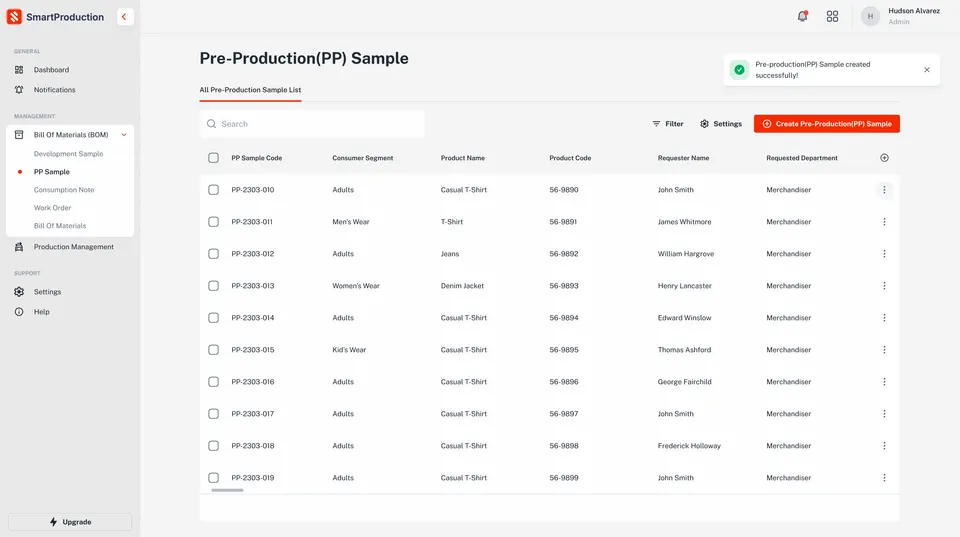
Development Sample, PP Sample and Consumption Note lists use the same list pattern, so moving between modules feels the same.